
Installing Popcorn Style for Microsoft Teams
Download the app package.
Click Add to Teams and download the app. If your organization’s IT team publishes apps for everyone, share the zip with them, ask them to add Popcorn Style to your org’s app catalog instead and skip to step 3.
Add to TeamsUpload it in Teams.
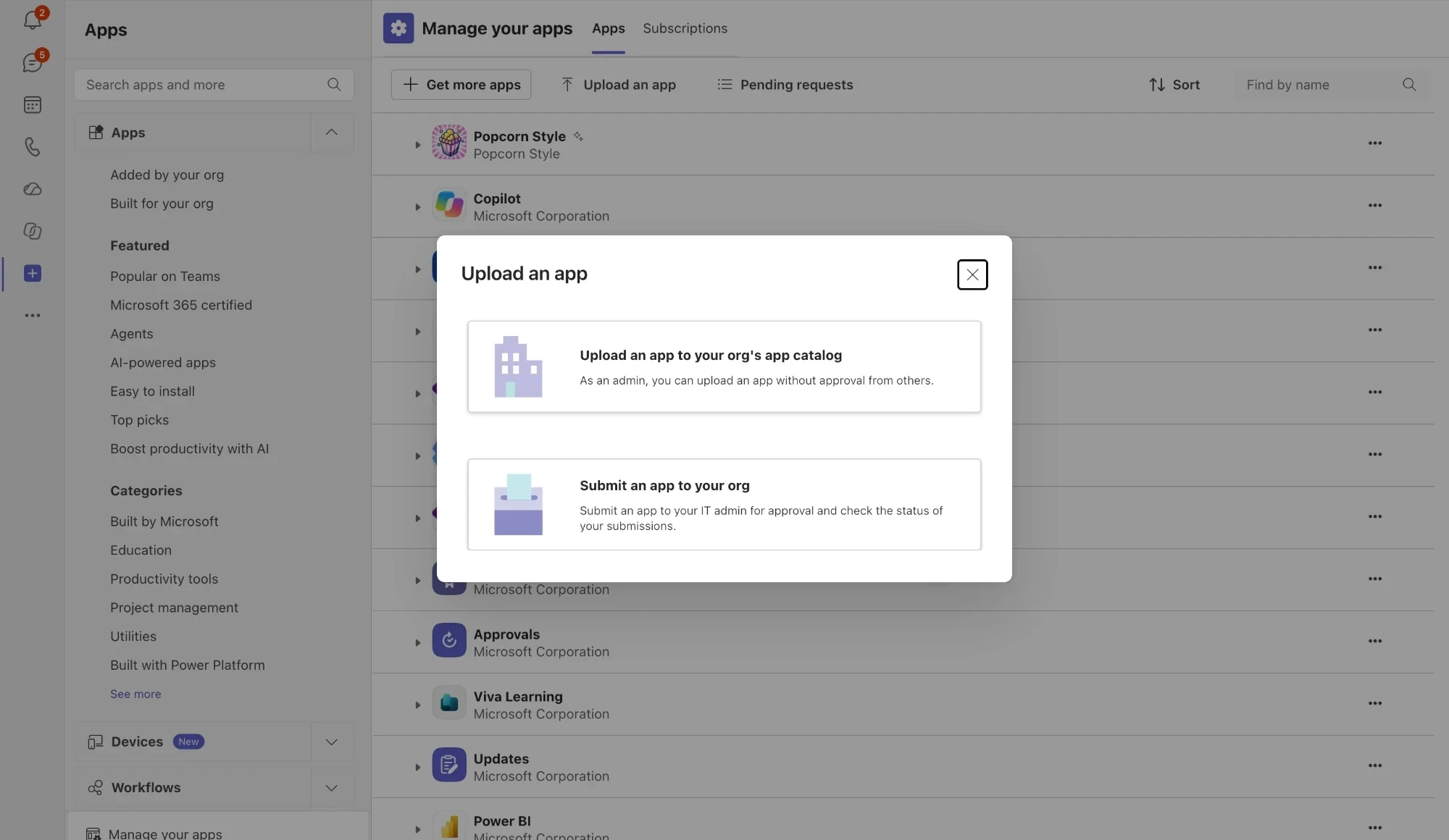
In Teams, open Apps, then Manage your apps, then Upload an app, and pick the zip.
If Teams won’t let you upload, your admin has turned custom apps off. Send them the package, or the link above, and they can publish it from the Teams admin center.
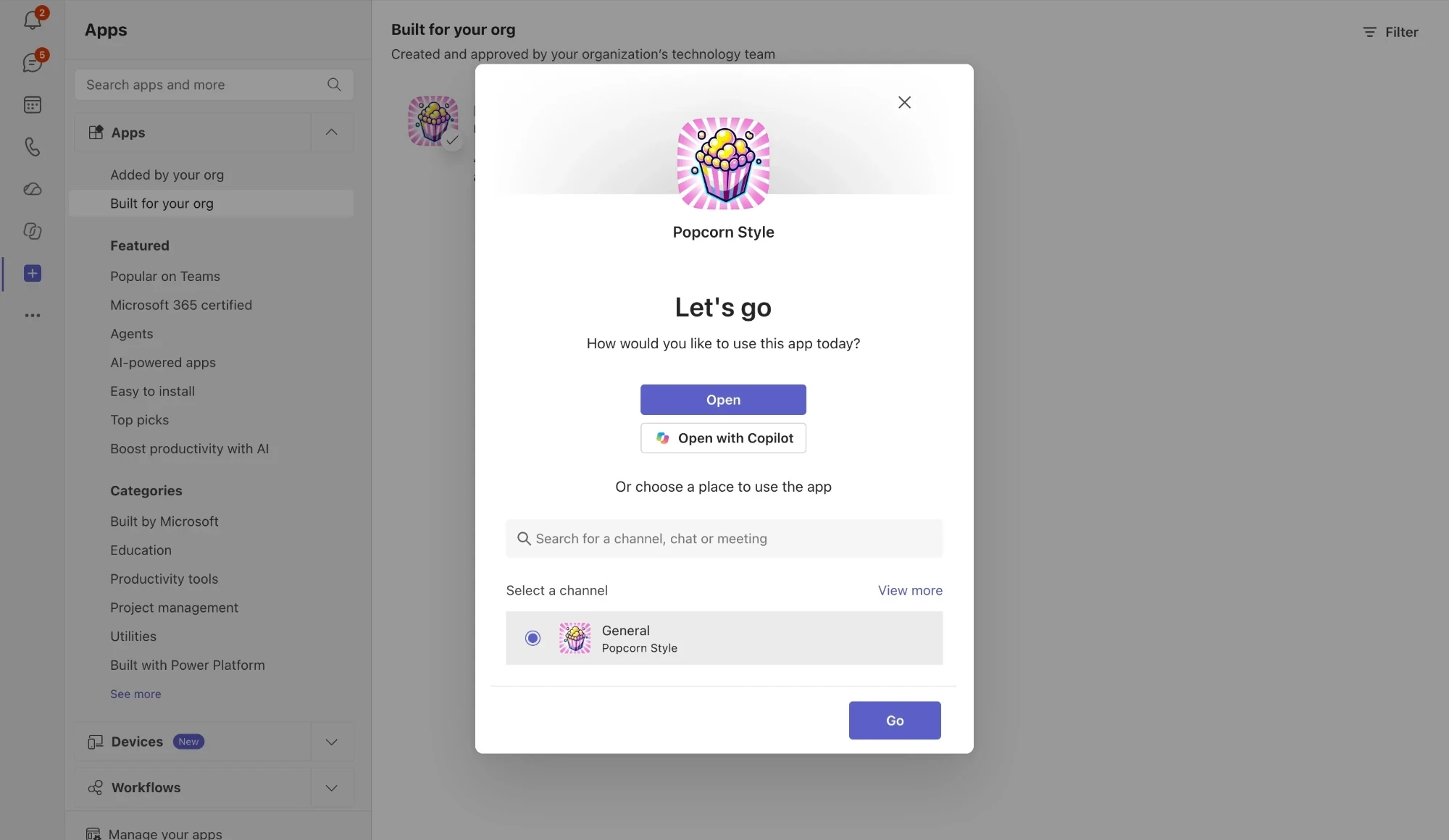
Add it to a team.
Choose the team Popcorn Style should join. Teams shows you what it’s asking for; it only ever posts in that team’s channels, and it never reads your direct messages. Here’s what you’re granting:
Click Connect.
Popcorn Style posts a welcome card in the team’s General channel. Its Connect button links the team to your Popcorn Style account; you’ll be asked to sign in or create one first. Accounts are free for teams of up to 3, with no credit card required.
Lost the card? Say
@Popcorn Style connectin any channel for a fresh one.Run your first standup.
Hit + in any channel’s message box, pick Popcorn Style and tap Start a meeting. Everyone answers in the thread, anyone who hasn’t posted gets a nudge, and an AI summary wraps it up.
The same menu puts standups on a weekly schedule, spins your team’s picker wheels and changes how the bot talks, or mention
@Popcorn Styleif you’d rather type.



 Popcorn Style
In a meeting
Popcorn Style is a meeting app as well. In a scheduled meeting (not an instant Meet now call), open it from the meeting’s toolbar: it’s under Apps, or has its own icon there once it’s been added. It runs in the side panel with everyone in the meeting already on the list, and Start puts the timer on the meeting stage for the whole call. The controls stay with you.
You get 4 free Teams meetings a month, and any paid plan makes them unlimited.
Prefer typing?
Everything the shortcuts do can be typed after an @mention as well. Teams has no slash commands, so the first word after the mention does the job
/meet,/spinand/popcorndo in Slack.
Uninstalling Popcorn Style for Microsoft Teams
Open the team’s menu in Teams, choose Manage team, then Apps, and remove Popcorn Style.
As soon as Teams tells us the app is gone, Popcorn Style deletes the team’s standups, schedules, channels and personalities from our servers. We keep a small record of your free-plan usage so reinstalling doesn’t reset your monthly allowance, and your wheels stay in your Popcorn Style account.
Something not working?
Teams won’t take the upload.
Custom app uploads are off for your organization. An admin can publish the package from the Teams admin center, or add it to your org’s app catalog.
“That connect link isn’t one we recognise.”
The card is from a team that has since been removed and re-added. Say
@Popcorn Style connectin any channel for a fresh one.“I couldn’t find a wheel called…”
Only wheels shared with My team show up in Teams. Check the wheel’s sharing setting on Popcorn Style, then say
@Popcorn Style wheel listto see what Teams can see.The rotation can’t hand off a tag.
Handing a tag like @on-call to a winner needs a permission a Microsoft 365 admin grants once. There’s a Grant permission button in the wheel’s rotation settings that starts it.
Still stuck?
Email us at contact@popcorn.style with your team’s name and we’ll sort it out.